Reference
Bulk import — turning a list of addresses into pins
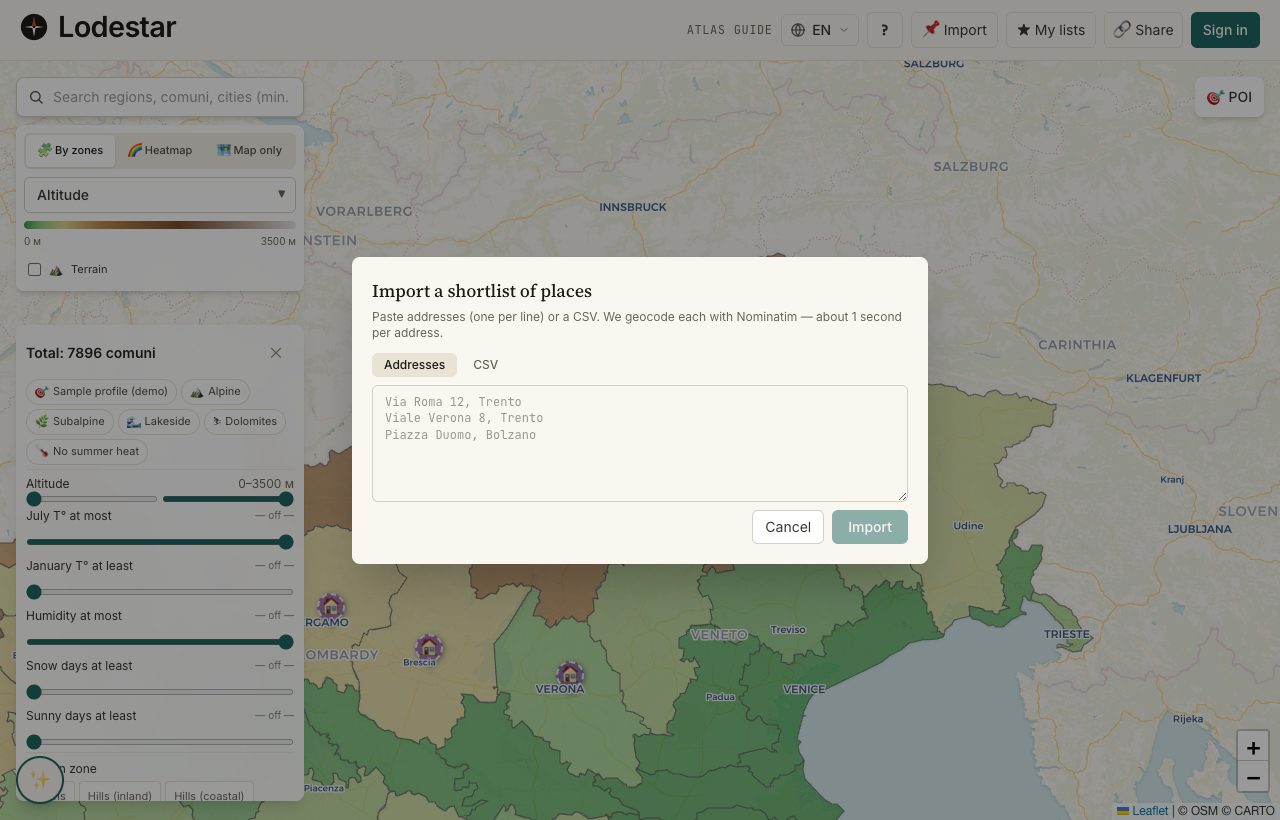
You have ten or twenty flats open across browser tabs. Bulk import is the dialog that swallows them in one go, looks each address up, and drops a pin on the right point of the map for every one that resolves.
Where to find it
Look for the Bulk import button in the top toolbar of the map. The dialog has two input modes: plain text (one address per line) and CSV (with header row). Choose the mode that matches what you have, paste, and submit.
How it works
Plain-text mode
One address per line. The dialog feeds each line to a geocoding service in order. A successful match becomes a pin with the address as its title and no URL.
CSV mode
Up to 3 columns are read: address (required), price, and url. The address goes to the geocoder. The URL ends up on the pin as a clickable link. The price lands in the pin's notes, prefixed with whatever currency symbol you typed.
Pace and limits
The cap per submission is 200 rows. The geocoder is the public Nominatim endpoint, which asks callers to stay under 1 s request per second. So even at the cap, 200 rows take roughly three to four minutes to resolve fully. A progress bar shows where the run currently is.
What to keep in mind
Geocoding is fuzzy. An address like "via Roma 12" without a city resolves to the most prominent match. That is often not the one you wanted. Adding the city, region, or postcode dramatically improves accuracy. The dialog flags every row whose match confidence is below a threshold, so you can review before keeping the pin.
Bulk import requires sign-in for the same reason pins do: the pins land in your account. The button is greyed out otherwise.
Frequently asked
What is the safest format for the CSV?
A header row with three columns, named exactly address, price, url. Wrap values containing commas in double quotes. Use UTF-8 encoding. Excel's default export usually works.
Why are some addresses skipped?
Either the geocoder could not find a confident match, or the resolved coordinate fell outside a supported country. The result panel lists the skipped rows with the reason next to each.
Can I undo a bulk import?
Not as a single action. Each pin is independent; open them on the map and delete one by one. If you imported a lot and changed your mind, the fastest path is the feedback button. We can revert by import batch ID on our side.
Does the dialog deduplicate pins?
It deduplicates inside one import run by exact address. It does not check against pins that already exist in your account — re-importing the same list will create duplicates.
Verified · 2026-05-26