Reference
Shortlist — named collections of locations
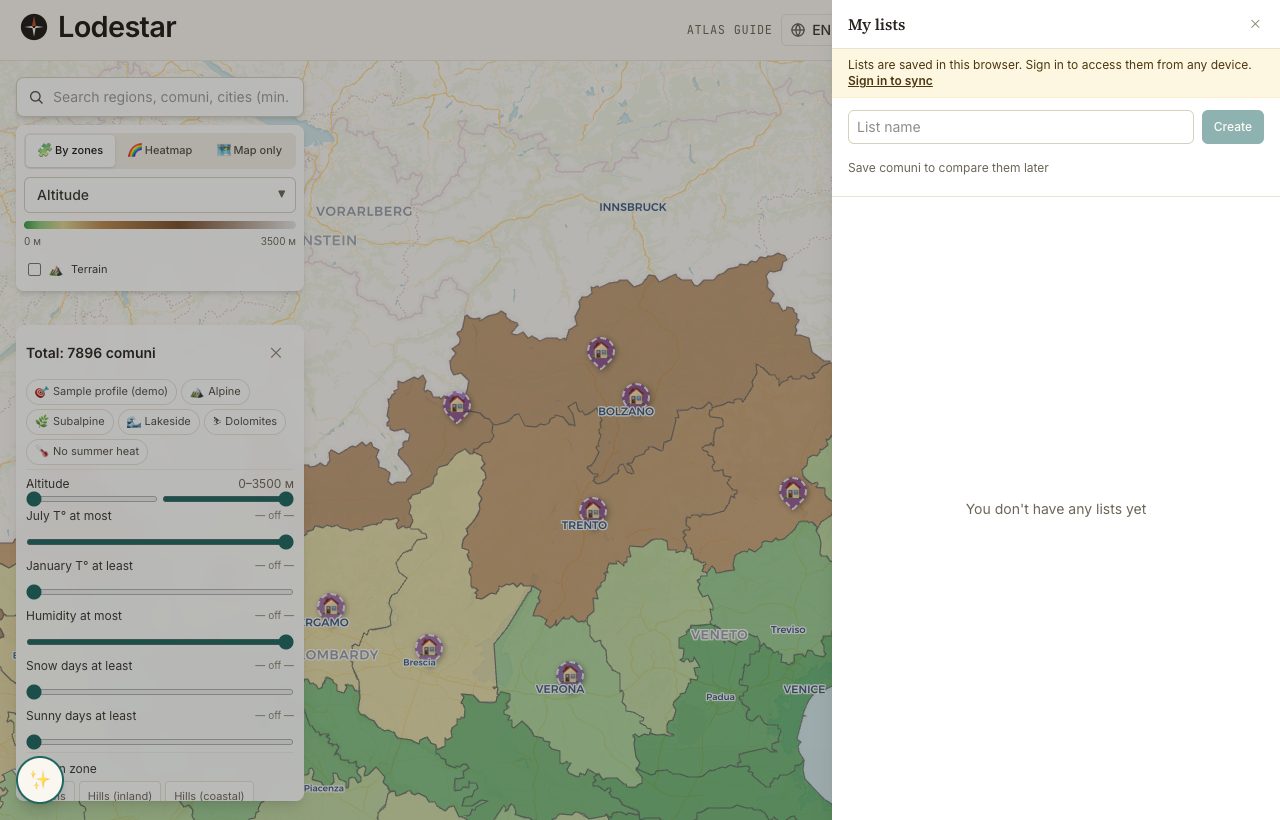
A shortlist is a named bucket of locations, each with its own note attached. Think of it as a personal long-list that survives between sessions, syncs to your account once you sign in, and feeds both the compare table and the visit planner.
Where to find it
A star button sits in the top toolbar of the map; the number next to it is how many locations are in the active list. Click it and a side drawer slides out — list, actions, and a switcher if you keep more than one.
How it works
Adding and removing
Open the details panel for any location and tap ★ Save. The location drops into your active shortlist. Tap the star a second time to take it back out. From inside the drawer there is also the small × next to each row.
Several shortlists
You can have more than one. Handy when you are weighing, say, coastal villages against mountain towns and the two ideas keep contaminating each other. The "+ New list" button at the top of the drawer creates another; the dropdown switches.
Notes per location
Each row in the drawer has a small note field. Use it to record why this place is on the list: "rents cheap, fast train to airport", "Sasha's cousin lives nearby", whatever you would otherwise scribble onto a sticky. The note travels with the location into compare and into the export.
Syncing across sign-in
Without an account, shortlists live in the browser. Sign in once and they flow into your account; from then on, they follow you between devices. Sync is two-way with a 800 ms-millisecond debounce: every change pushes after a brief pause, so the API does not get hammered on every keystroke.
What to keep in mind
The visit planner can take up to 7 entries from a shortlist into a driving route. If the shortlist is longer, the planner asks you to pick which ones to include.
One country per shortlist, for now. If you want to track "coastal Italy" alongside "Portugal candidates", that is two separate shortlists. We do not let you mix them in one row.
Frequently asked
Can I share a shortlist?
Yes. Open compare on the shortlist locations and copy the page URL. Anyone with that link sees the metrics and your notes (if they are encoded into the URL parameter). The account-stored shortlist itself stays private.
What happens to my guest shortlist when I sign in?
It uploads to the server as a fresh shortlist on the account. Entries pop into the drawer the moment sync finishes, usually well under a second on a normal connection.
Can I export the shortlist to a spreadsheet?
The drawer has an "Export CSV" action that produces a file with one row per location and columns for every metric plus your notes.
Can two people collaborate on the same shortlist?
Not directly. The fastest workaround is a single shared login — two browser profiles on one device works fine for that. Proper multi-user shortlists are on the roadmap.
Verified · 2026-05-26